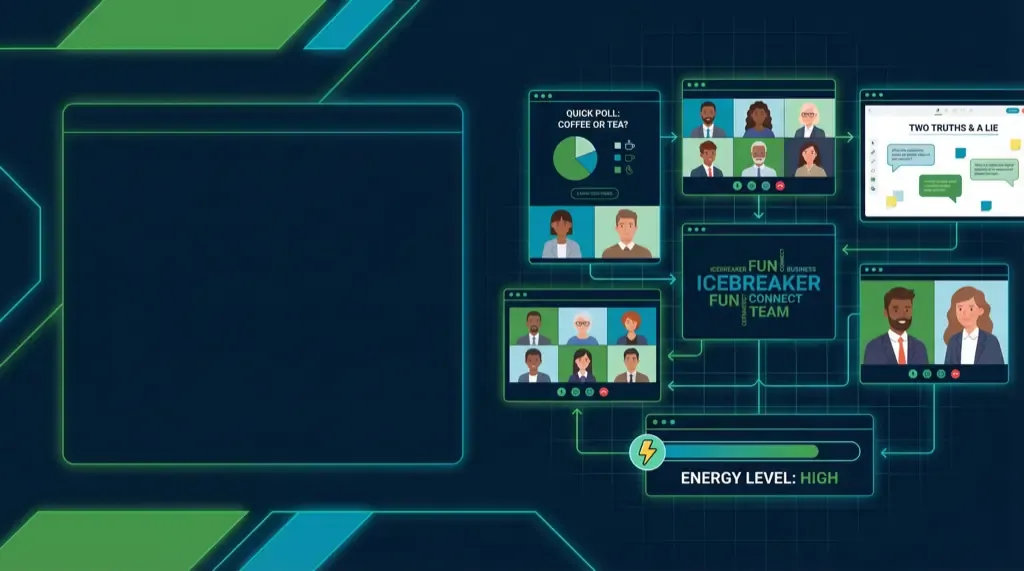
Quick Virtual Icebreakers for Meetings (5-Minute Ideas)
Tired of dead-camera meetings? These 15 virtual icebreakers take under 5 minutes, need zero prep, and actually get people talking. Copy-paste ready.
You know the feeling: It's 2 PM, you're on your third video call of the day, and everyone's cameras are off. The meeting starts with awkward silence, and you can practically feel the energy draining from the virtual room.
Virtual icebreakers are the solution—quick, engaging activities that warm up your team before diving into the agenda. The best part? They don't have to take long. These 5-minute icebreakers will transform your meetings from energy-draining to energizing.
Why Virtual Icebreakers Matter
Before we dive into specific activities, let's understand why these quick connections matter:
- Break the Ice: Help team members feel comfortable speaking up
- Increase Engagement: People are more likely to participate after a fun opening
- Build Relationships: Small personal shares create connection points
- Set Positive Tone: Start meetings on a high note rather than jumping straight into problems
- Reduce Zoom Fatigue: Brief, interactive activities combat video call exhaustion
Quick 5-Minute Virtual Icebreakers
1. Two Truths and a Lie
Time: 3-5 minutes
Setup: None required
Each person shares three statements about themselves—two true, one false. Others guess which is the lie. This classic works perfectly in virtual settings and reveals interesting facts about teammates.
Pro Tip: Encourage people to share something surprising but not too personal. "I've been to 15 countries" works better than "I once got lost in a foreign city."
2. Hot Seat
Time: 5 minutes
Setup: None required
One person is in the "hot seat" and answers fun questions from the team for 2-3 minutes. Rotate through multiple people if time allows. Questions can be work-related ("What's your favorite project you've worked on?") or personal ("What's your go-to comfort food?").
Pro Tip: Keep questions light and positive. Save deep discussions for dedicated team building time.
3. Emoji Check-In
Time: 2-3 minutes
Setup: None required
Everyone shares an emoji that represents how they're feeling right now, then briefly explains why. This is perfect for very short meetings or when you need something ultra-quick.
Pro Tip: Use the chat feature for emojis, then have people unmute to share their reason. This keeps it moving quickly.
4. Would You Rather?
Time: 3-5 minutes
Setup: None required
Pose a "would you rather" question and have people share their choice and reasoning. Examples: "Would you rather have the ability to fly or be invisible?" or "Would you rather always be 10 minutes late or 20 minutes early?"
Pro Tip: Mix work-related and fun questions. "Would you rather work 4 days a week for 10 hours or 5 days for 8 hours?" sparks interesting discussions.
5. One-Word Check-In
Time: 2 minutes
Setup: None required
Each person shares one word that describes their current state, energy level, or mood. This is the fastest icebreaker and works great when you're pressed for time.
Pro Tip: Ask people to elaborate briefly if someone shares an interesting or concerning word. "Tired" might need a quick follow-up.
6. Virtual Background Showcase
Time: 3-5 minutes
Setup: Participants need virtual backgrounds
Have everyone use a fun virtual background and explain why they chose it. This works especially well for teams that don't usually use backgrounds—it adds visual interest and personality.
Pro Tip: Give people 30 seconds to find a background if they don't have one ready. This adds to the fun.
7. Desert Island
Time: 3-5 minutes
Setup: None required
Ask: "If you were stranded on a desert island, what three things would you bring?" (excluding survival basics). This reveals priorities, creativity, and sometimes surprising practical thinking.
Pro Tip: Encourage creative answers. "A satellite phone" is practical, but "my dog" or "a ukulele" reveals more personality.
8. Show and Tell
Time: 3-5 minutes
Setup: None required
Have everyone grab something interesting from their workspace and share it. This could be a favorite mug, a plant, a book, or anything that tells a story.
Pro Tip: Set a 30-second limit per person to keep it moving. The time constraint actually makes it more fun.
9. Word Association
Time: 2-3 minutes
Setup: None required
Start with a word (e.g., "teamwork") and have each person say the first word that comes to mind. Go around quickly. This reveals how people think and creates unexpected connections.
Pro Tip: Use work-related words to make it relevant, or fun words to make it light. Mix it up based on your team's energy.
10. Bucket List Share
Time: 3-5 minutes
Setup: None required
Each person shares one item from their bucket list. This is inspiring, creates connection points ("I want to do that too!"), and helps team members see each other as whole people.
Pro Tip: Encourage a mix of big dreams and small, achievable goals. Both are valuable.
11. Pet Parade
Time: 3-5 minutes
Setup: None required
If team members have pets, have them introduce them (or show photos). Even non-pet owners can share their favorite animal or a pet they'd like to have.
Pro Tip: This is especially effective for teams that haven't met in person. Pets are universal conversation starters.
12. Gratitude Round
Time: 2-3 minutes
Setup: None required
Each person shares one thing they're grateful for today. This sets a positive tone and helps people focus on the good, even during stressful times.
Pro Tip: Keep it brief—one sentence per person. This maintains energy while still being meaningful.
13. Favorite Thing Share
Time: 3-4 minutes
Setup: None required
Pick a category (favorite book, movie, food, vacation spot, etc.) and have everyone share theirs. Rotate categories across meetings to keep it fresh.
Pro Tip: Use categories that are easy to answer quickly. "Favorite vacation spot" works better than "favorite philosophical concept."
14. Virtual Scavenger Hunt
Time: 3-5 minutes
Setup: None required
Call out an item (e.g., "something green," "a book," "something that makes you smile") and have people race to find and show it. Do 2-3 rounds.
Pro Tip: Mix easy items ("something blue") with creative ones ("something that represents your mood") to keep it interesting.
15. Rose, Thorn, Bud
Time: 3-5 minutes
Setup: None required
Each person shares:
- Rose: Something positive from their week
- Thorn: A challenge they're facing
- Bud: Something they're looking forward to
This creates space for both celebration and support while staying brief.
Pro Tip: This works especially well for recurring team meetings where people want to check in on each other's lives.
Tips for Successful Virtual Icebreakers
Keep It Moving
Set time limits and stick to them. If someone is taking too long, gently redirect: "Thanks for sharing! Let's hear from Sarah next."
Make It Optional
Some people prefer to observe, and that's okay. Don't force participation, but do create an environment where everyone feels welcome to join.
Match Energy to Meeting Type
A serious strategy meeting might need a lighter icebreaker, while a team social can handle something more personal.
Rotate Activities
Don't use the same icebreaker every meeting. Keep a list and rotate through options to maintain interest.
Use Chat Features
For very large groups, use the chat for responses instead of going around the room. This saves time and allows everyone to participate simultaneously.
When to Use Virtual Icebreakers
- Start of Team Meetings: Warm up before diving into the agenda
- Beginning of Workshops: Help participants feel comfortable before learning
- After Long Breaks: Reconnect after holidays or time off
- With New Team Members: Help newcomers feel included
- During Difficult Periods: Lighten the mood during stressful times
Making Icebreakers Part of Your Culture
The most effective teams make connection a regular practice, not an occasional event. Consider:
- Weekly Quick Check-Ins: 2-minute activities at the start of regular meetings
- Monthly Deep Dives: Longer team building sessions with more immersive activities
- Seasonal Celebrations: Special icebreakers for holidays or milestones
FAQ: Virtual Icebreakers
How long should virtual icebreakers take?
For regular meetings, aim for 2-5 minutes. Longer team building sessions can accommodate 10-15 minute activities, but quick icebreakers are perfect for warming up before work discussions.
What if someone doesn't want to participate?
Make participation optional. Some people prefer observing, and that's perfectly fine. The goal is creating connection, not forcing it.
Can icebreakers work for large groups?
Yes, but you may need to adapt. Use chat features for large groups, or break into smaller breakout rooms for more interactive activities.
How do I choose the right icebreaker?
Consider your team's energy level, the meeting's purpose, and available time. When in doubt, start with something simple and low-pressure.
Should icebreakers be work-related or personal?
Mix both! Personal icebreakers build relationships, while work-related ones can be more relevant to the meeting. The key is matching the tone to your team's preferences and the meeting's purpose.
Looking for more ideas? Browse our full activity hub with 15+ virtual team building activities.
Ready for Deeper Team Connection?
While quick icebreakers are perfect for regular meetings, sometimes your team needs more immersive experiences to build deeper trust and collaboration. SquadGame adventures combine fun activities with AI-powered insights, helping teams understand their collaboration patterns and improve how they work together.
Explore SquadGame Adventures →
Start with one icebreaker this week and watch how it transforms your team's energy and engagement.